Edit Webhook

Edit Webhook : You can update the webhook URL, the alert email, and add or remove events by editing your webhook. To edit webhooks:
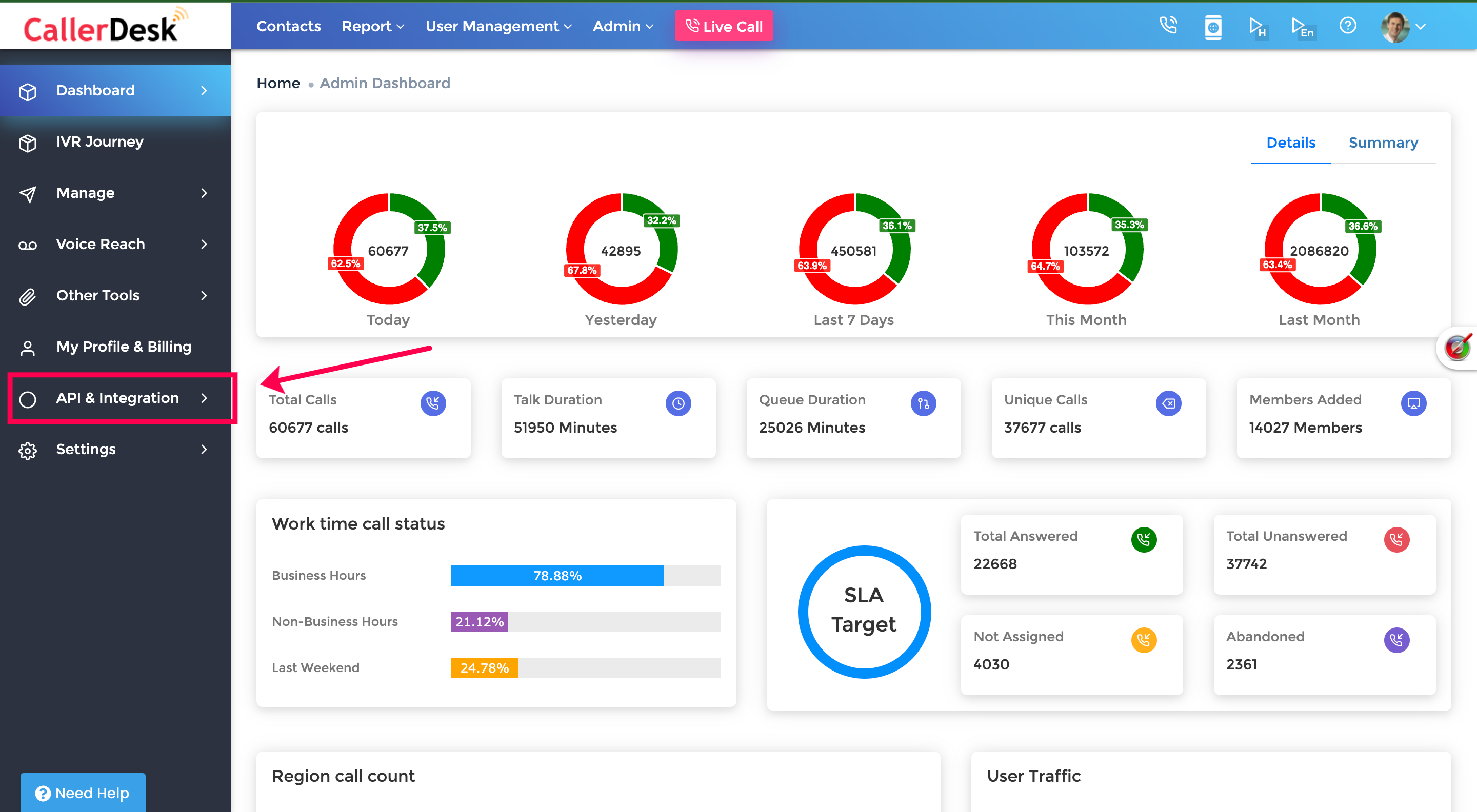
  1. Log onto the Digidonar Dashboard to configure webhooks and select and navigate to Dashboard → API & Integration → Webhooks.
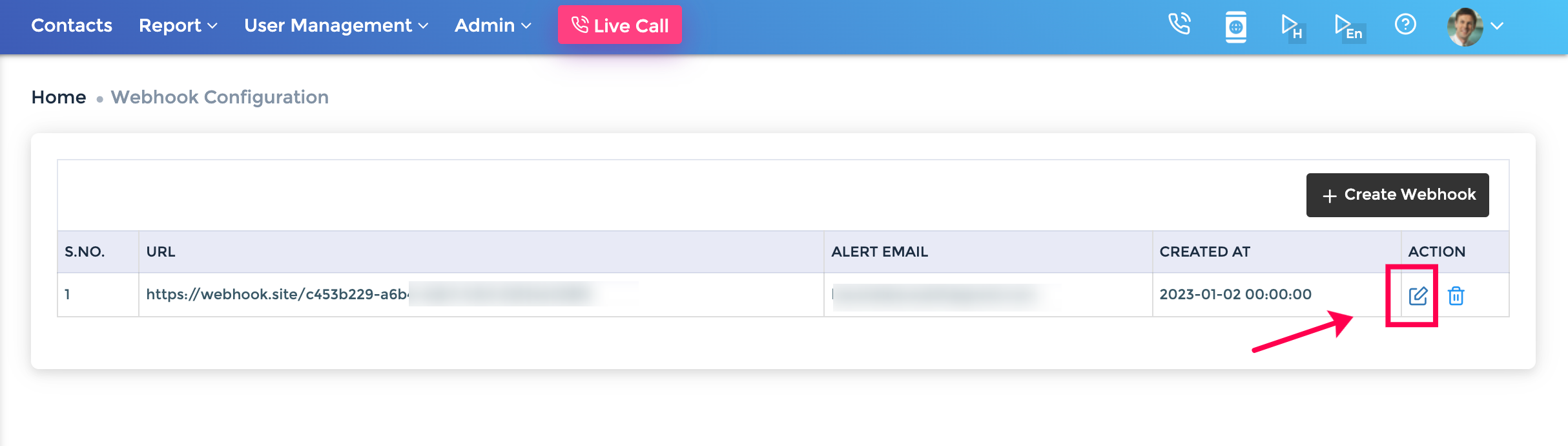
  2. Select " Edit Webhook" icon from the list of saved webhooks.
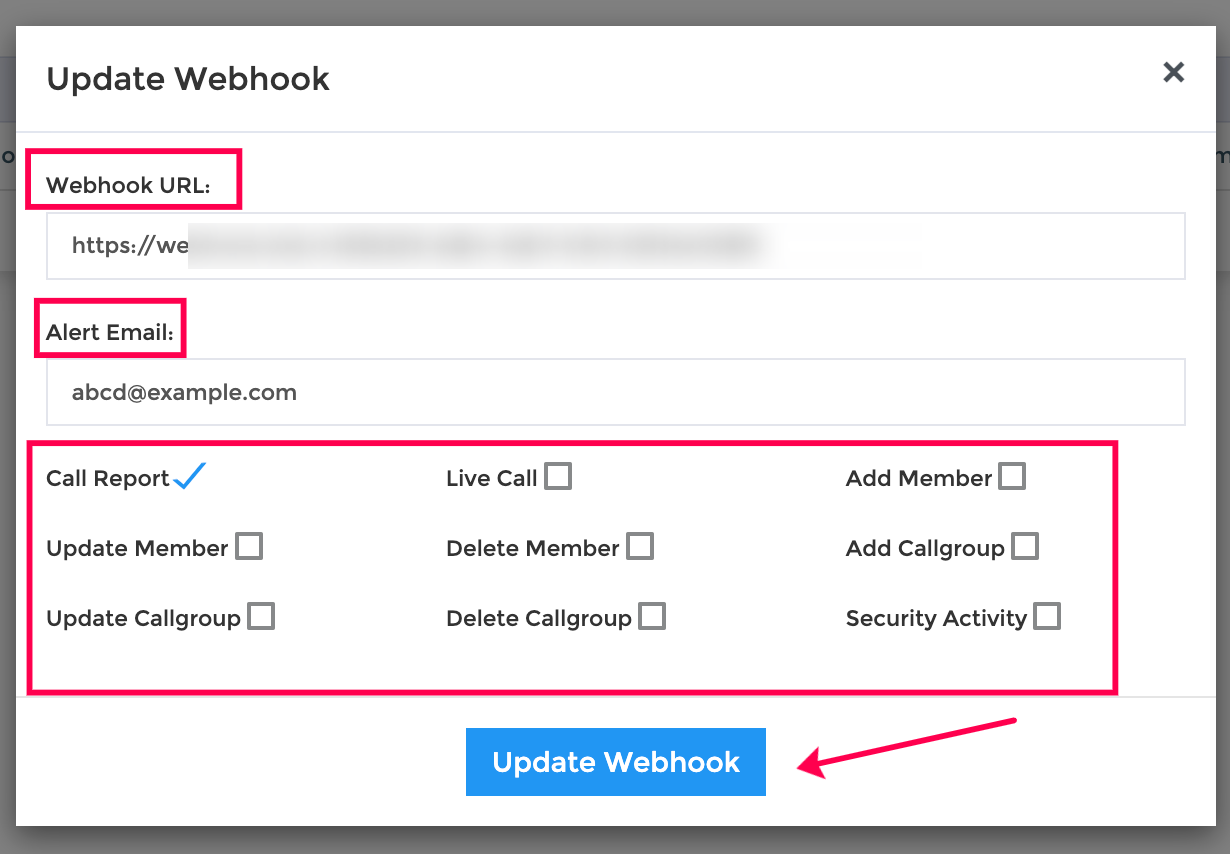
  3. The Webhook Setup pop-up window appears. You can alter the following:
    • Webhook URL
    • Alert Email
    • Active Events

Click update webhook to save changes.

Updated 24 Apr 2023 Did this page help you?