
Clicking this below option will allow you to begin adding the Digidonar API collection once Postman has been successfully installed or logged in on your computer.
Run in Postman ( Please contact your account manager to get the Digidonar postman collection )
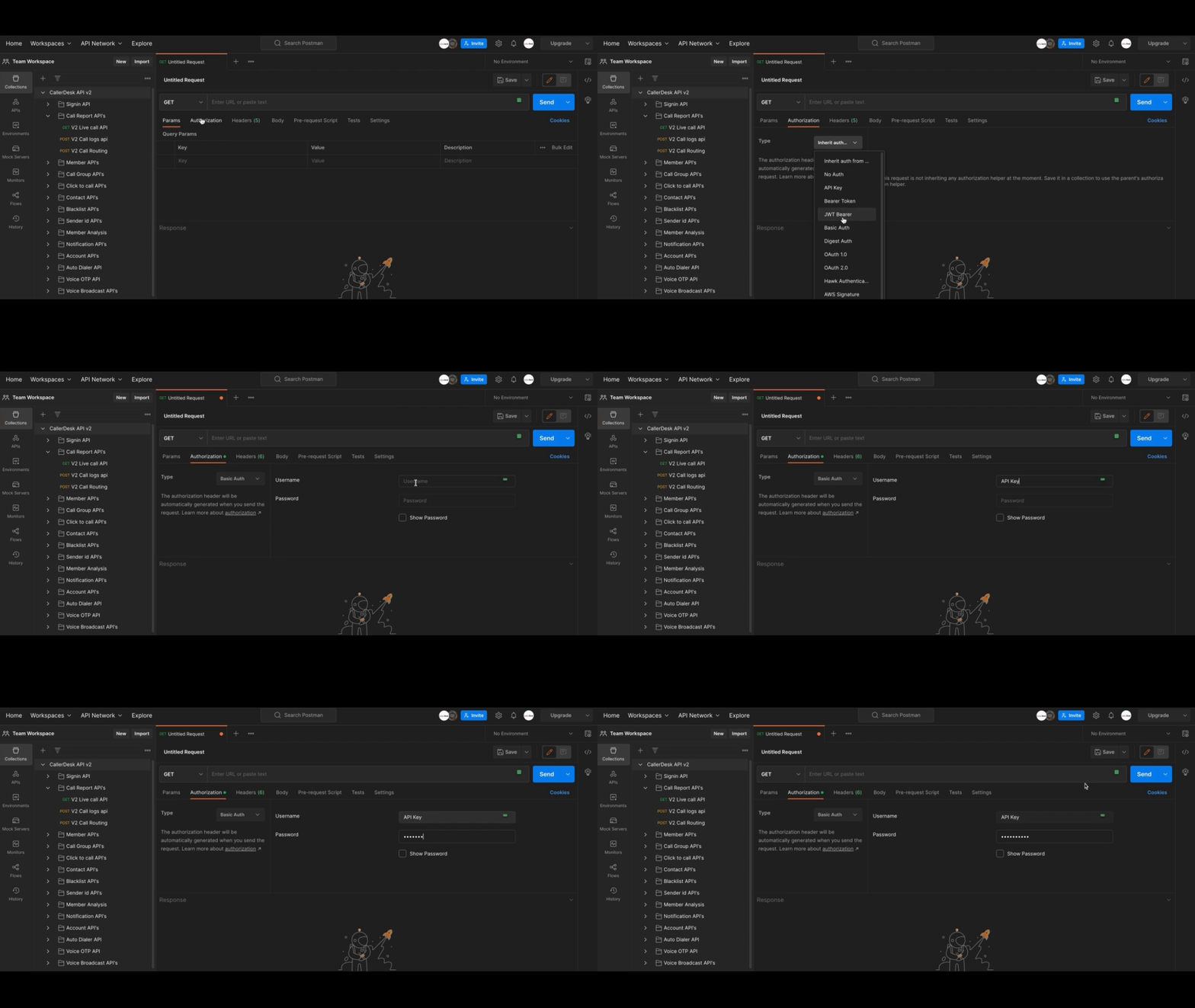
Adding your 'Basic Auth' is the easiest method to authorize your requests. To accomplish this, you must first locate your API key & Secret Key (for instructions, visit here )
After that, proceed with the remaining steps, which are as follows:
At this point, you are able to make your initial requests. Make certain that "Basic Auth" is selected as the authorisation type under the authorisation tab.
Updated 24 Apr 2023 Did this page help you?
Previous
Setup Postman
Next
Team Members